Answer your coding agents with clicks, not chat
Your agent writes a request as a Markdown file: a few things to try in the build it just made, or a design with decisions to take. Dev Traffic Control shows it, you answer with clicks, and the agent reads your answers from a file beside the request.
Apple Silicon, macOS 12 or later. Signed and notarised. Free and open source (MIT).
What it does
For developers who already work with coding agents such as Claude Code or Codex. Every picture below is from an example project.
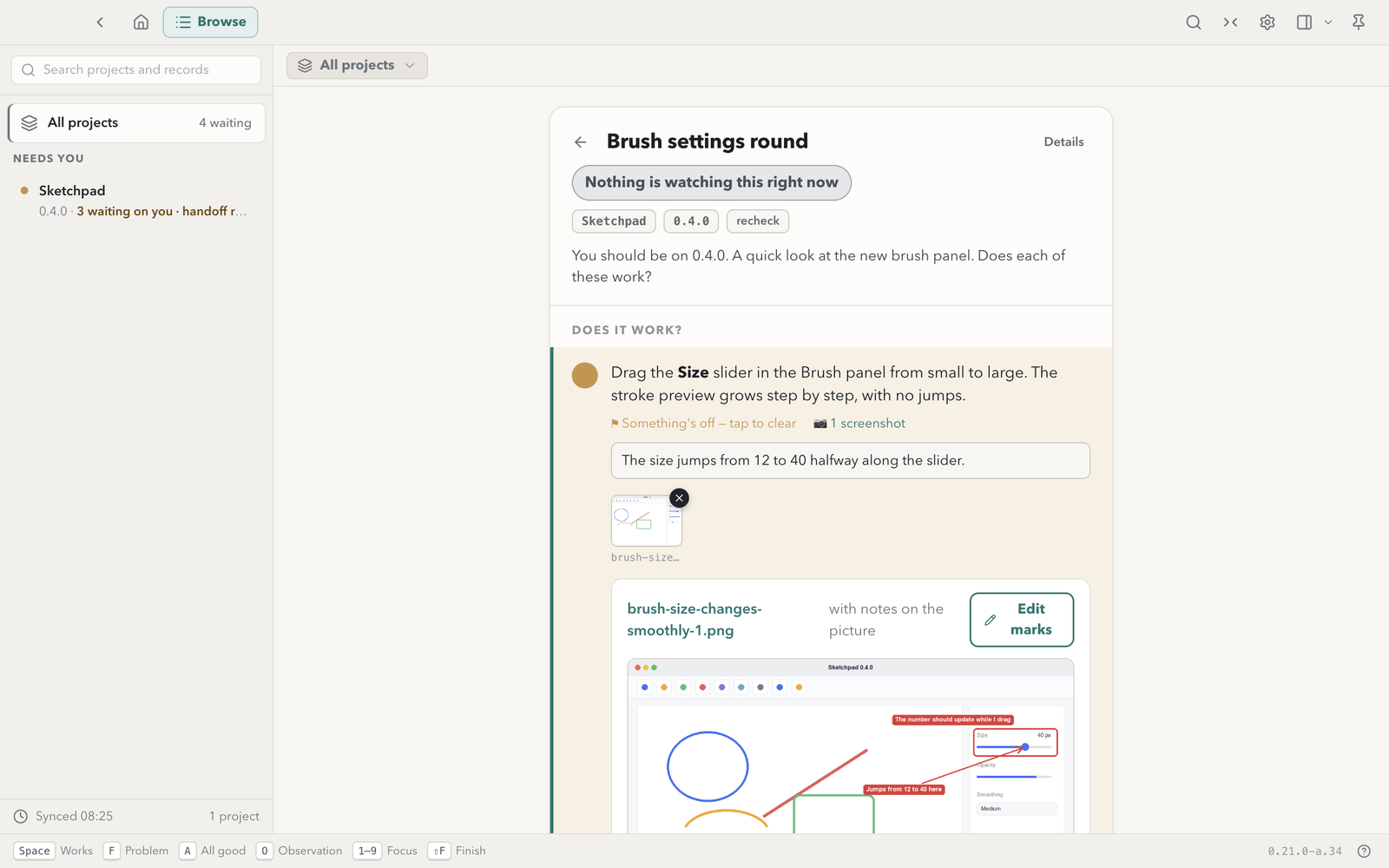
Check what the agent built
A check request lists a few things to try, one line each. Mark each one works or not, add a comment, paste a screenshot.
The agent gets a verdict and your words for every check, not a paragraph in chat.
Decide from the pictures
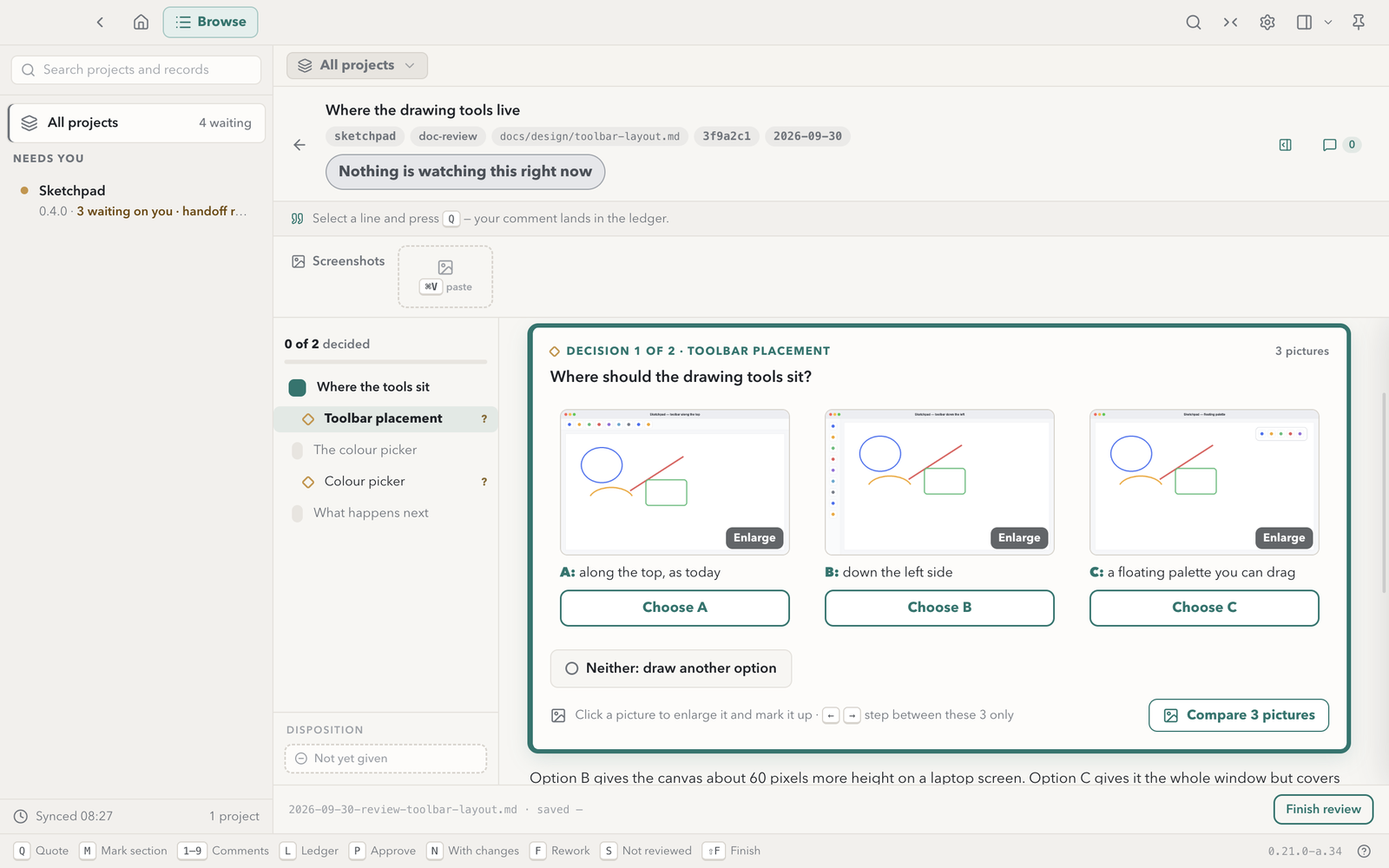
A design review puts each option's picture side by side, with a button under each. Enlarge one, step through them, or open all of them in a compare view.
The rail shows how many decisions are left, so none gets missed.
Point at the problem
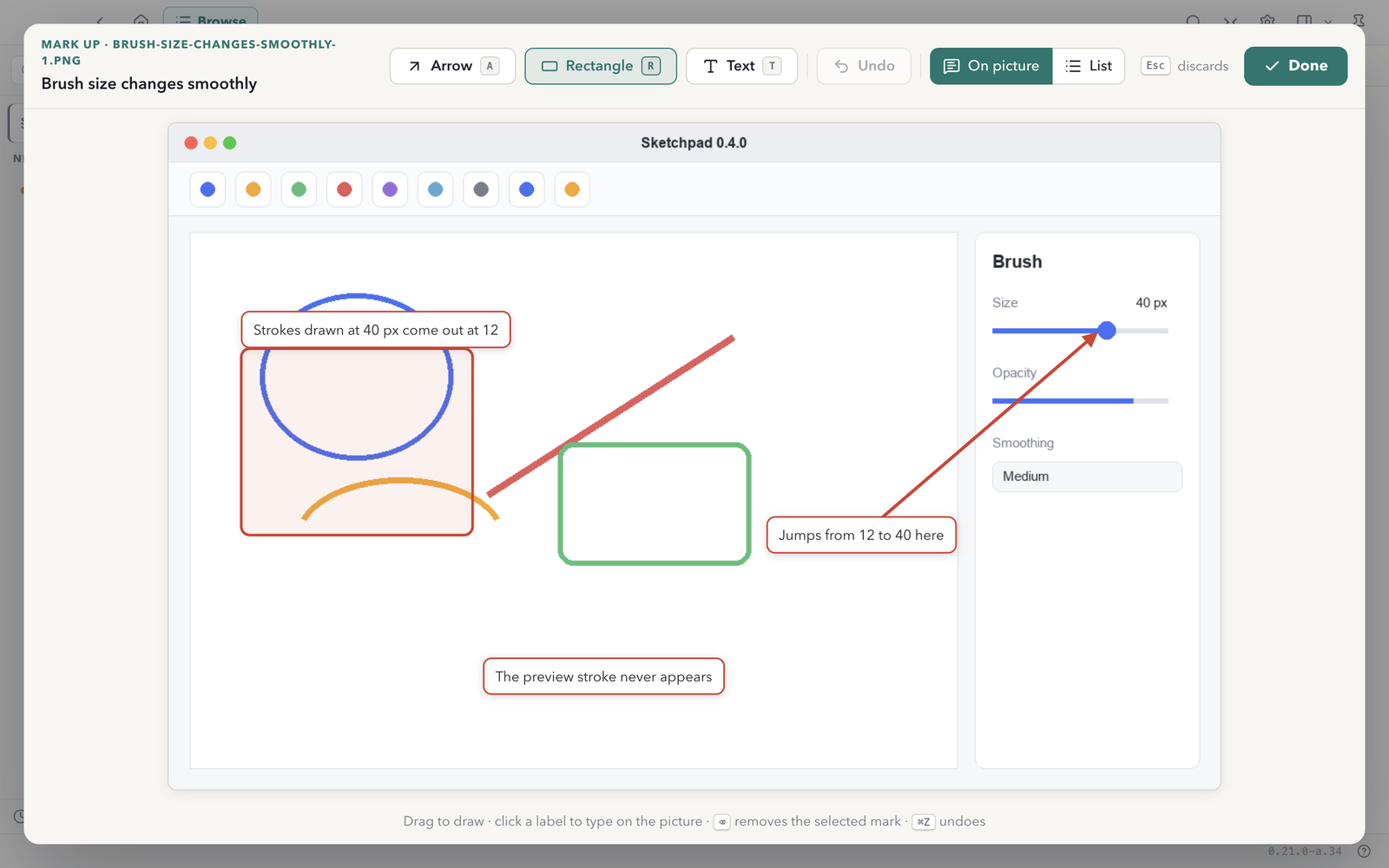
Draw arrows, boxes and labels on a screenshot or a review picture. The words sit on the picture, or in a numbered list if you prefer.
The agent receives each mark as words and coordinates, so it knows what you pointed at without reading pixels.
Connect your agents
Three steps, once, and an optional fourth: the Claude Code mod, described below. After that your agents file requests in your records folder.
-
Install the dev-traffic-control skill
It teaches your agent the request format. Any agent that reads skills can use it: techczech/dominiks-agent-skills › dev/dev-traffic-control.
git clone https://github.com/techczech/dominiks-agent-skills
cp -R dominiks-agent-skills/dev/dev-traffic-control <your agent's skills folder>
Or unzip
dev-traffic-control-skill.zipfrom the release into your agent's skills folder. -
Tell your agent where to write
Paste this to your agent once.
Use the dev-traffic-control skill. My records folder is ~/Documents/Dev Traffic Control. When you want me to test or review something, file it there and give me the dtc:// link. -
Or look around first
The example project holds one check request, one design review and one handoff, so you can see what your agents will send.
The agent skill and the Claude Code mod
Two companions to the app. Optional beyond the skill.
-
The skill
The
dev-traffic-controlskill teaches any agent the record format. It is attached to each release asdev-traffic-control-skill.zipand lives at techczech/dominiks-agent-skills › dev/dev-traffic-control. Unzip it into your agent's skills folder, or use the clone commands above. -
The Claude Code mod
The
dtc-inboxmod adds a/dtcpane and a band that show answers waiting for the agent, and adtc_answerstool that returns them to the agent as delimited data. It never acts by itself: it submits no prompt, and the agent reads an answer when you ask it to or when it calls the tool. Automatic delivery to the filing session is planned for a later release. It needs Claude Code with mods support.claude plugin marketplace add techczech/dev-traffic-control claude plugin install dtc-inbox@dev-traffic-controlIt is also attached to each release as
dtc-inbox-mod.zip. Its README is claude-mod/dtc-inbox/README.md.